LinkedIn & professional profiles
A clear head-and-shoulders crop helps people recognize you, even in a small profile photo. Choose a setting that suits your role.

YOUR NEXT CHAPTER, IN FOCUS
Upload a photo for your professional business headshot.
For LinkedIn, company profiles and personal websites.
4:5 photo format selected. The comparison shows an example crop.

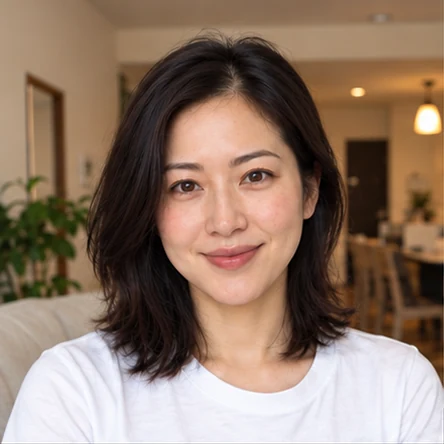
Choose a scene for your headshot.
HOW IT WORKS
Upload, drop or paste a clear photo of yourself. Good light is a great start.
Choose a scene that feels like you, from a classic studio to a brighter workspace.
Explore the scenesSign in, create your headshot for $0.99, then compare and download your result.
Start with a photoREADY FOR YOUR NEXT CHAPTER
A clear head-and-shoulders crop helps people recognize you, even in a small profile photo. Choose a setting that suits your role.
A consistent backdrop and level of formality can bring team portraits together. Classic studio and modern office are useful starting points.
Match your portrait to the way you present your work. Try a relaxed workspace or outdoor setting for a more informal introduction.
PAY AS YOU GO
Add credit, choose any scene and use your balance one photo at a time.
Top up more to get a little extra. No subscription.
$0.05 remains after 5 photos
$0.12 remains after 12 photos
$0.25 remains after 25 photos
Prices in USD · Unused credit stays in your balance.
Top-ups open at launch.
FAQ
A little clarity before your next close-up.
Choose a clear, recent photo with your face fully visible. Soft light, a natural expression and space around your head and shoulders work well. Avoid sunglasses and heavy filters.
Choose comfortable clothes that fit your role. Solid colors, a tidy collar and simple layers keep the attention on your face. See outfit ideas in our business headshot wardrobe guide.
Yes. Copy an image or screenshot, then press Ctrl + V on Windows or ⌘ + V on Mac while this page is active. The clipboard needs to contain an image, rather than a link to one.
Absolutely. Use the replace icon or paste another photo to change your original. Click any scene to switch your setting. Replacing your photo keeps your selected scene.
You can upload JPG, PNG and WebP images, up to 10 MB per photo. You can also drag a supported image into the upload area.
Each photo costs $0.99. Add $5 for $5 in credit, $10 for $12 in credit, or $20 for $25 in credit. Each successful photo uses $0.99 from your balance. Top-ups are not available yet. Exploring scenes and sample photos is free. Compare professional headshot services and what to ask before booking.
Bonus credit is added to the same photo balance as your paid credit. For example, a $10 top-up gives you $12 to use: enough for 12 photos at $0.99 each, with $0.12 remaining. Small amounts stay in your balance and can be combined with your next top-up. You can also choose a custom amount from $5: top-ups of $10–$19.99 receive 20% bonus credit, and $20 or more receive 25%. The percentage applies to the whole top-up, rounded to the nearest cent. No subscription is required.
A technical failure does not use your balance. Credit is reserved while your photo is being created and charged only after your result is saved. Choosing to create a new photo or try another scene costs $0.99. Downloading the same purchased photo will not incur another photo charge. Detailed service and quality-resolution terms will be available before checkout opens.
Upload a photo, choose a scene and ratio, then select Create headshot. Sign in and make sure you have credit available. Once your result is ready, compare it with your original and download it. Creation becomes available when the service is connected; sample portraits are examples of each scene.
Before you sign in, photos stay in this browser. After sign-in, selected photos and generated results are saved privately to your account. The remove icon clears the current preview; use the delete icon in History to delete a saved photo. Photos in an active generation can be deleted once the task finishes.